On Hold Reason Codes
When the MSP sets a request to the 'On Hold' status, an On Hold reason must be
selected. Refer to the following information for details about the available reasons and
their effect on the Time to Fill clock.
Note:
Unlike hire, closed, cancelled, project create,
and start date change reasons, On Hold reasons are system-defined. They are not
configurable for the client organization, and they do not appear in the reasons
configuration for a client. See Reasons Configuration.
Available reasons
The following nine reasons are available. Four were available prior to R26.6, and five are new in R26.6.
| Reason | Pauses Time to Fill |
|---|---|
| Hiring Manager is currently reviewing resumes | No |
| Hiring Manager is currently unavailable | Yes |
| Offer pending acceptance | No |
| Hiring Manager is currently conducting interviews | No |
| Client-initiated pause | Yes |
| Budget freeze | Yes |
| Pending cost approval outside standard requisition process | Yes |
| Extended candidate screening in progress | Yes |
| Role is evergreen or part of a bulk hiring project | Yes |
Time to Fill confirmation message
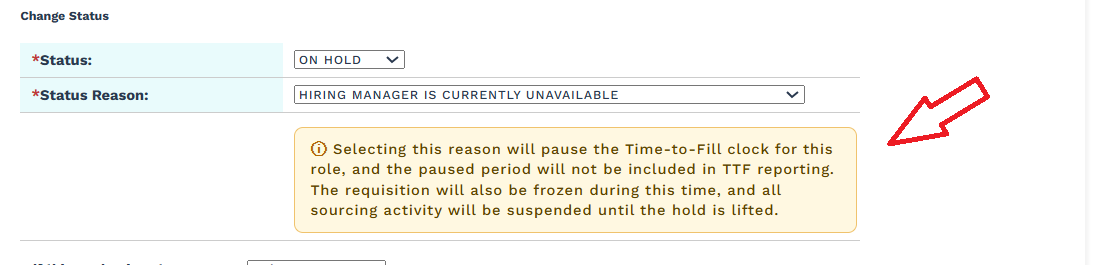
When a reason that pauses the Time to Fill clock is selected, the application displays a confirmation message.
Selecting this reason will pause the Time-to-Fill clock for this role, and the paused period will not be included in TTF reporting. The requisition will also be frozen during this time, and all sourcing activity will be suspended until the hold is lifted.
Effect on the request
While a request is On Hold:
- The requisition is frozen and cannot be edited.
- Sourcing activity is suspended, and suppliers cannot submit candidates against the request.
- If the selected reason pauses the Time to Fill clock, then the time spent On Hold is excluded from the Time to Fill and Days to Fill values in reporting.