Reasons Configuration
Reasons allow you to more clearly define why a requisition change is being made. This information can be reported on.
The reasons configuration supports client organization-level information to
be selected for various items, similar to custom fields, allocations, or billing
auxiliary fields. You can create reasons for either Project or Staffing requisitions, as
follows:
- Hire Reasons - Drop down displays in the Position Details configuration in a requisition.
- Closed Reasons - Drop down displays on a popup when the close engagement workflow is triggered. See Closing an Engagement.
- Cancelled Reasons - Drop down displays on a popup when a requisition is cancelled.
- Project Create Reasons - Drop down displays reasons during Project request creation.
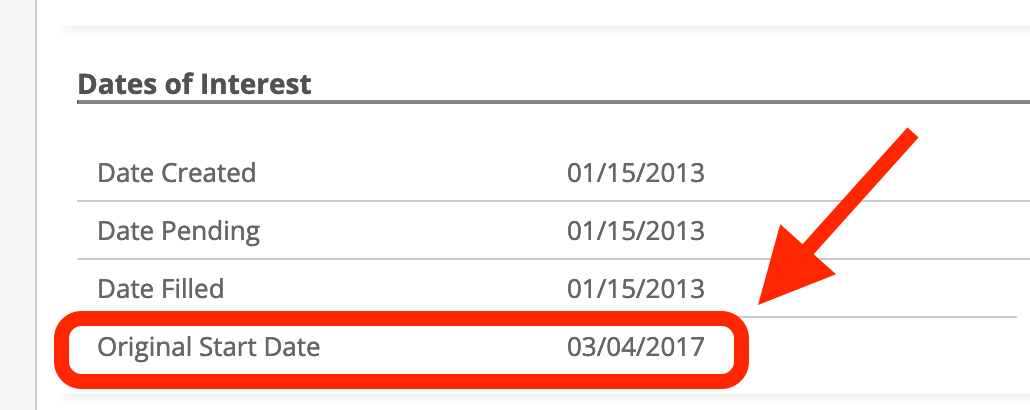
- Start Date Change Reasons - Drop down displays on a popup when an MSP changes
the start date on a filled engagement. The original start date is displayed in
the Dates of Interest section on the engagement.
On Hold reasons are not part of the reasons configuration. Unlike the reasons listed above, they are system-defined, and they cannot be created or deactivated for a client organization. See On Hold Reason Codes.