Supplier eSign
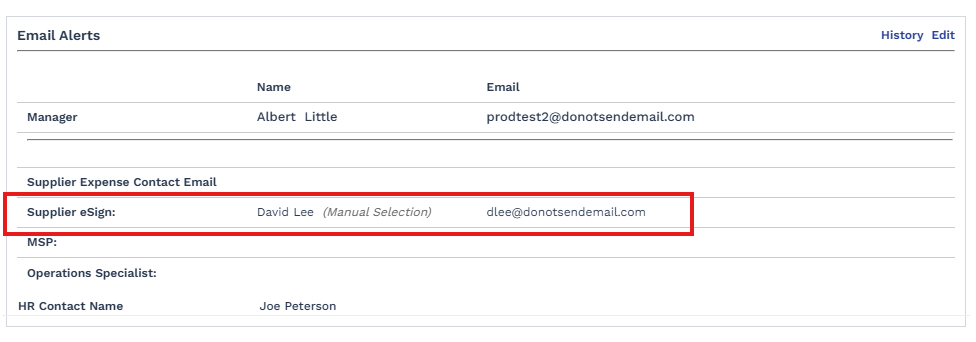
The Supplier eSign setting identifies which supplier contact receives DocuSign documents during worker on/off boarding. It is managed in the Email Alerts section of the engagement details page.
Default assignment
When an engagement is created, if a supplier contact is already linked to the originating request, that contact is automatically assigned as the Submitting Supplier (Default) for all on/off boarding DocuSign signing. If no supplier contact is linked at that point, an MSP user must open Email Alerts, choose Select Manually in the Supplier eSign field, and search for the appropriate supplier user.
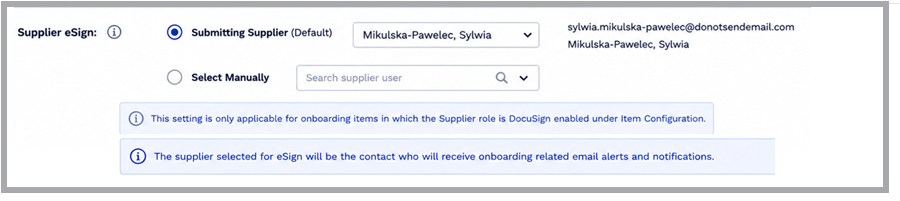
- This setting applies only to onboarding / offboarding items where the Supplier role is DocuSign-enabled under Item Configuration.
- The supplier selected for eSign is also the contact who receives on-offboarding-related email alerts and notifications.
Changing the supplier eSign contact
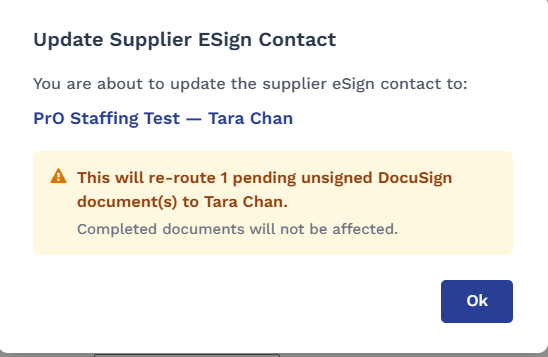
If DocuSign documents are already in progress and require supplier signing, changing the eSign contact re-routes any pending unsigned documents to the newly selected supplier. Documents that have already been signed are not affected. A confirmation dialog is shown before the change takes effect. In case there are not such pending documents for supplier to sign then the user will not see this pop-up on change of esign supplier.